
Built for how irrigation inspections actually get done
Save what makes each site different once, capture issues, send the report with a draft quote back to the office, and hand your customer something better than a marked-up generic checklist. Use any phone or tablet in the field.
Every site is different. Capture it that way.
- Pumps, backflows, controller, and zones are recorded as real assets so that every future inspection is customized to that property's system. No extra rows and columns on a generic form.
- Landscape types, emitter types, head counts give a clear picture of each zone.
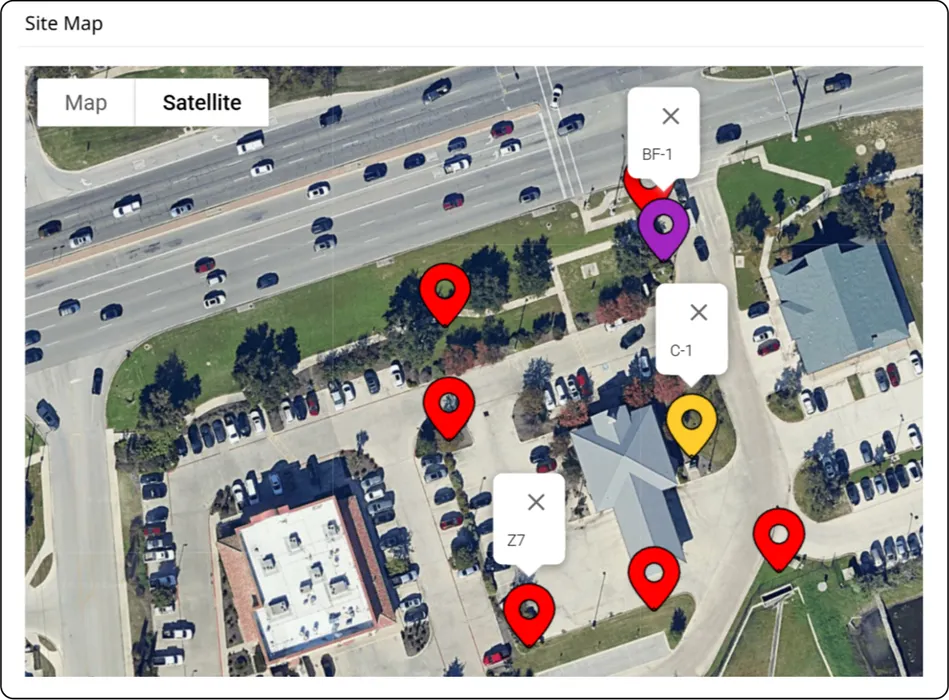
- Geo-tag and photograph equipment so the next technician finds it easily.
Customize templates to match service offerings
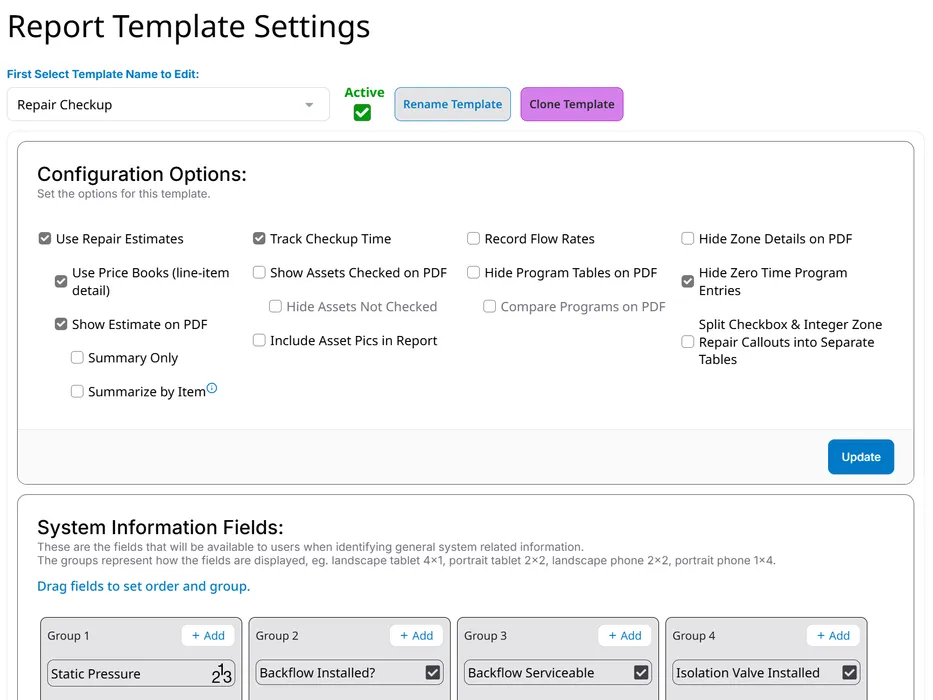
- Use a repair-focused template for routine wet-checks and service calls, and a conservation-focused template for water audits.
- Choose which repair callouts appear (English and Spanish), so technicians only see what is relevant to the job.
- Create repair “kits” tied to each callout by associating one or more quote line items to automatically build the repair estimate as the inspection is being performed.
Photos do the convincing
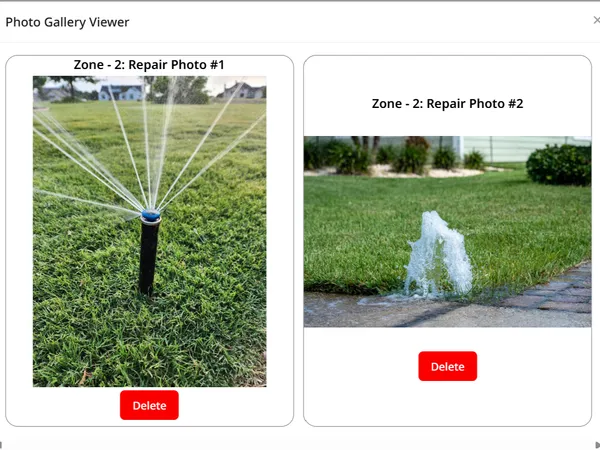
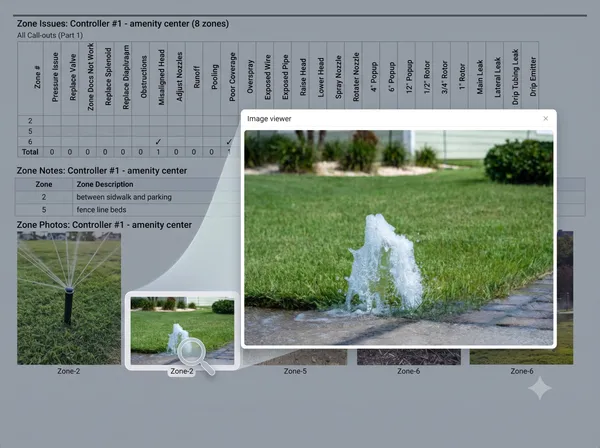
Up to 10 photos per zone
The broken head, the ponding, the dry patch. Each photo listed in the report with a controller and zone number label, so nobody has to take your word for it.
Asset photos that pay off later
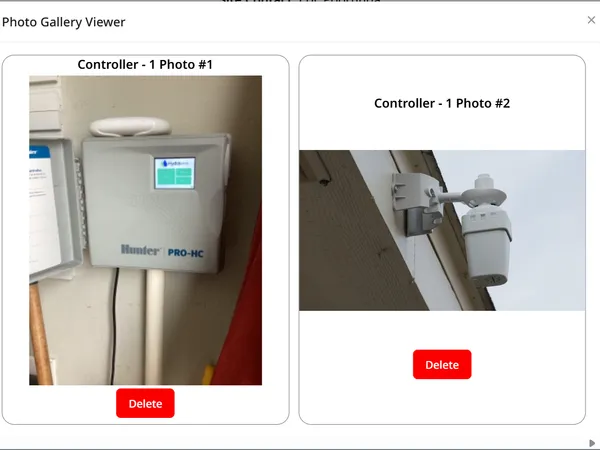
Photograph the system components so the entire team and future techs start with a site reference instead of a guess.
Full resolution when it counts
Shared, online reports display photos at full resolution. The PDF report is optimized for file size and speed. Let the customer see the failure they are being asked to approve.
The paper shuffle between technician and office is over
Paper forms ride back to the office, then someone re-types them into a quote. That step is where accuracy, hours and repair revenue quietly leak away.
Nothing gets re-typed
Once the technician finishes, the report is automatically drafted. No office time spent turning handwritten notes into a report and quote.
The office knows immediately
A “Send to Office” notification button emails the office and account managers a link to the report the moment the technician finishes, rather than waiting until the end of shift.
Nothing goes missing
No lost forms, no illegible notes, and no hunting through a technician's camera roll — every photo is already attached to the zone and callout it documents.
Know it was checked before the report goes out:
Positive AssuranceTM
1
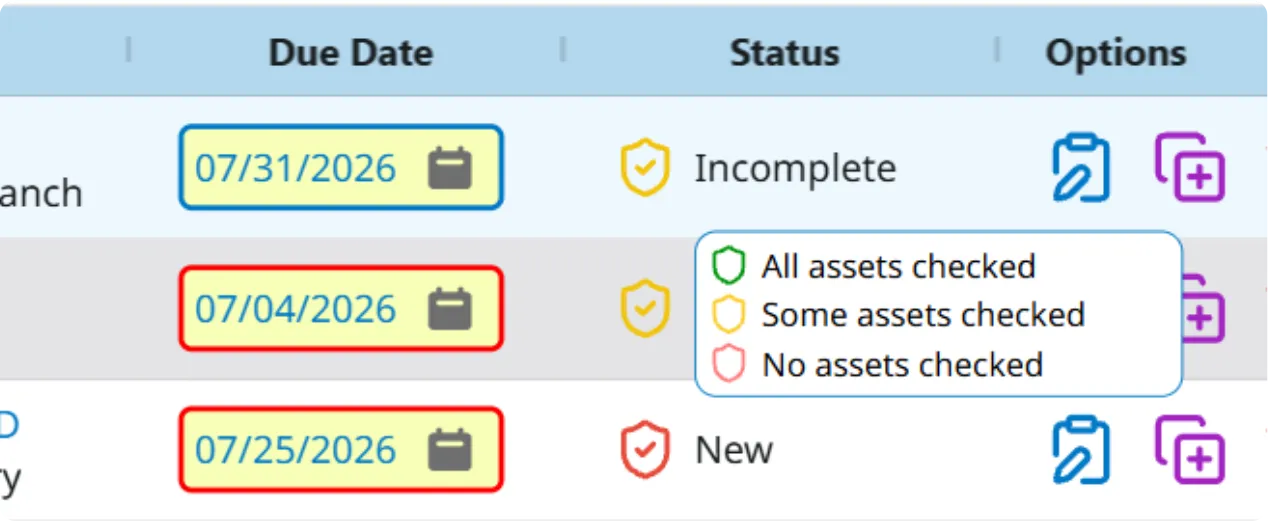
Every asset carries a status
Pumps, backflows, controllers, and zones each show a color-coded shield on the checkup: green when checked, yellow if not checked.
2
The office reviews before the customer does
Checkup summaries let the office catch the zone nobody walked with a yellow shield. Red flags jobs where no assets have been confirmed checked yet.
3
The report says what was verified
Positive AssuranceTM puts inspection coverage on the report itself. A traditional report lists every asset on the property and leaves the reader guessing which ones were actually looked at.
The office finishes the quote and sends it
Callouts arrive already priced
Repair callouts are linked to products in your price book, so most of the quote is built before anyone opens it.
Adjust before it goes out
Change quantities, swap parts, drop line items. The technician records what they found; the office decides what gets quoted.
Summarise by price book item
Show a clean summary instead of every line, for the customers where detail would only invite an argument.
Priority repairs stand out
Flag the callouts that cannot wait, so urgent work is not buried among the minor findings.
Keep pricing off the technician's screen
Technicians can be blocked from seeing costs entirely while still recording everything the quote needs.
Every version is kept
A revision is captured whenever a PDF or share link is generated, so you can always see exactly what the customer received.
More than a photocopied checklist
Most contractors hand over a marked-up checklist, because producing anything better takes office time nobody has. Yours get a branded report with photographs and a quote they can act on.
A report, not a form
Your branding, the findings, and the photographs that show them, laid out as a document worth putting a name on.
A link, not an attachment
Share a secure link that opens without a login and never bounces off a mailbox size limit.
Review it live first
Quickly preview the report format with the inspection data before committing to a customer sent revision.
A PDF when they want one
Generate a fixed copy of any revision for internal records or customer communication.
Signatures, if you use them
Capture approval online with the signer's name and email recorded, whether that happens on site or a week later at the customer's desk.
Approval reaches the right people
Office and production staff are notified when a quote is signed, so approved work turns into scheduled work.
Your brand on every page
Your logo, contact details and report footer throughout, plus a quote disclaimer that matches how you actually do business. Nothing on the document points back at us.
Run the business, not just the checkup
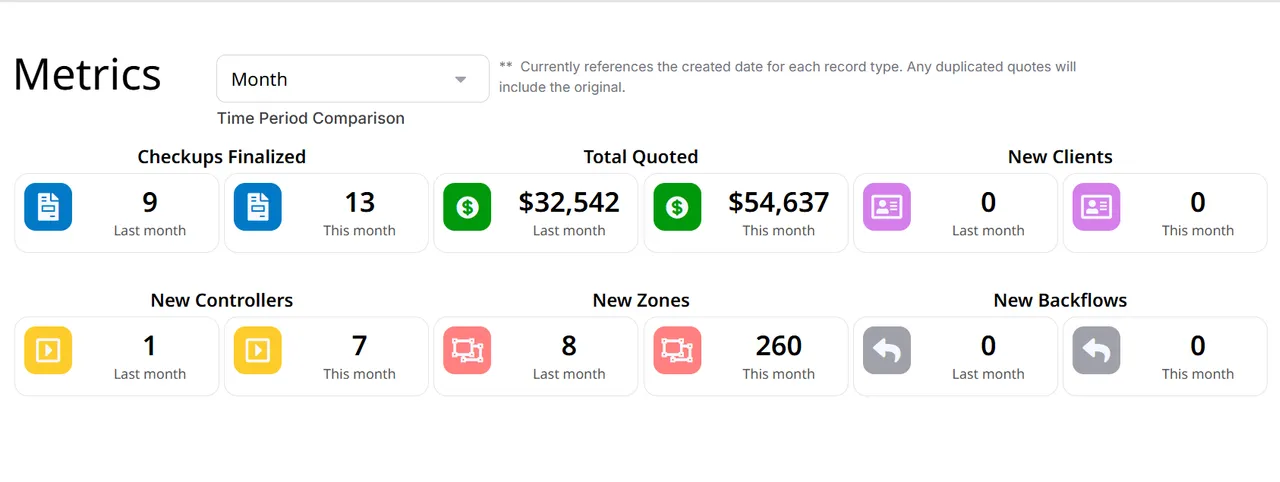
Dashboard trends across weeks and months. Separate roles for admins, managers and technicians. Corporate, division, region and branch structures for when one crew becomes several.
Supercharge your inspections
Start a 14-day trial and see how fast your next checkup job can be completed. No credit card required.